- DATE:
- AUTHOR:
- The Xyte team
New Feature
all categories
Update Multiple Models at Once
DATE:
AUTHOR:
The Xyte team
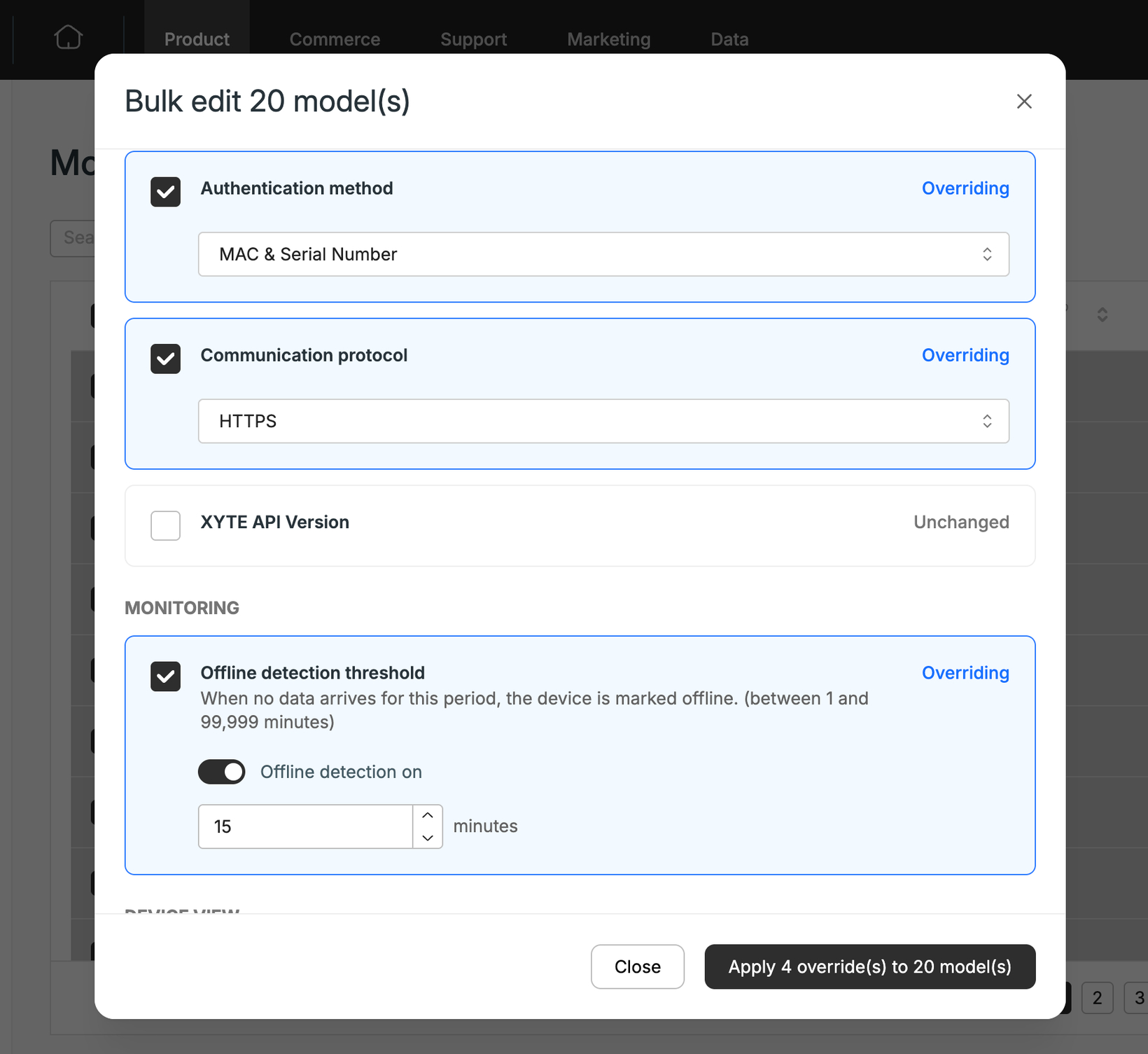
Managing your catalog at scale just got a lot faster. You can now select multiple models in the Product Hub and apply a change to all of them in a single action, instead of opening and editing each model one by one.
Every field supported in the Model edit dialog can now be bulk-updated (with the exception of Model name), so catalog-wide changes take seconds instead of hours.
How to use it:
Go to Product Hub → Models.
Select the checkboxes for the models you want to update.
Click Bulk edit.
Choose the property to change and enter the new value.
Apply. All selected models update at once.
Please contact support@xyte.io with any questions.